



Magicspins App
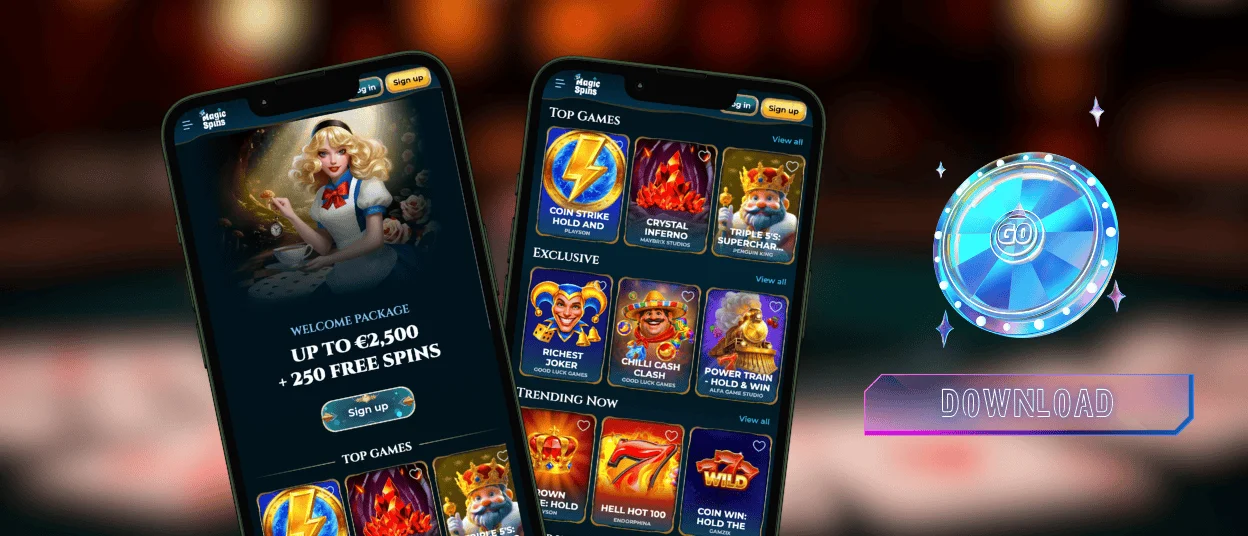
The Magicspins app runs through a mobile browser, so players do not need to install a separate file or check for manual updates. It keeps the main casino sections available on smaller screens, including games, bonuses, account tools, and support. This format gives users quick access from a phone or tablet while keeping the platform connected to the desktop version.



Magicspins Mobile Experience
The Magic Spins Casino mobile site provides a practical way to use the platform on the go. The layout adjusts to smaller screens and feels familiar after opening it; games, account tools, live chat, and promotions are easy to find.
Players can always access online slots, live games, and account settings. The main point is that the Magicspins app works in a way that feels adapted to the device from the start.
- The interface keeps key sections within reach without overcrowding the screen.
- Sessions load quickly, including when switching between games.
- The same account works across devices without resetting progress or settings.
Magicspins App in Daily Use
The app can fit into everyday use. A player can open it, spin the wheel a few times, close it, and return later. Favorite games and recently played titles are always available in the Magicspins app and the website, totally synchronized.
Some users play for short periods, such as a few slot rounds or a quick crash game. Others use the mobile version for longer sessions, especially with live games where timing and interaction matter more.
The table below shows how the Magicspins app fits different mobile use cases:
| Situation | How Magicspins Casino Responds |
| Short break, quick session | The app opens quickly and lets users move straight into a game |
| Switching devices | Progress and settings remain unchanged |
| Longer play sessions | The platform stays stable during extended use |
| Checking account details | Account tools are available without leaving the game |
Magicspins on Android Devices
On Android, the Magicspins app feels close to a standard application, although it does not depend on APK files. Players add it to the home screen through the browser, and from that point, it works like a regular app icon. This method avoids the usual concerns connected with external downloads. Users do not need to search for a Magicspins APK or check whether an outside file is safe.
Games adapt well to touch controls. Slots work smoothly in portrait mode, and crash games such as Plinko-style formats or quick multiplier rounds suit short mobile sessions.

Magicspins Casino on iOS
Using the platform on an iPhone or iPad follows a similar setup with a slightly different process. Safari allows users to add Magic Spins Casino to the home screen, creating a shortcut that opens in its own window.
After tapping the icon, players return to the platform without going through the browser each time. The layout works well for one-handed use on smaller screens, while tablets provide more space for live casino games and side panels.
Playing on Desktop
Although the section focuses on mobile use, Magicspins does not separate desktop players from the same platform experience. A user may start a session on a phone during the day and later continue on a larger screen. The gaming experience remains connected across devices.
Some formats may feel more suitable on the Magicspins desktop version:
- Live games with larger video streams;
- Browsing several categories at the same time;
- Checking promotions while keeping games open.
What You Need to Run Magicspins Casino App
There is no heavy installation, but a few basic requirements help the platform run smoothly.
| Requirement | Why You Need It |
| Stable connection | It helps live games run smoothly and reduces interruptions |
| Updated browser | It ensures the Magicspins app works correctly |
| Cookies enabled | It helps keep users logged in without repeating the login process |
| Updated device software | It reduces glitches during longer sessions |
| Storage space | It supports faster loading through cached data |
These requirements help the Magicspins app run smoothly and keep mobile sessions stable.

Account Verification
The verification process can be completed directly through the Magicspins app. Users can upload documents from a phone, which makes the process easier than switching between devices.
To complete verification, players need to confirm their identity, address, and payment method. The support team reviews the submitted documents, and after approval, the account can be used without restrictions.
Support for Mobile Users
If something does not work as expected, help remains easy to access. The live chat option is built into the Magicspins Casino mobile interface, so players do not need to leave the session to contact support. This channel works best for quick issues.
For more detailed questions, email support is also available. Players often use this option when they need to attach documents or explain a situation step by step.
FAQ
Can I change my details on the Magicspins app?
Yes. Account details can be updated from the mobile version. Some changes require confirmation, but the process remains straightforward. Support can assist if any issue appears.
Are all games available on mobile?
The full library remains accessible on mobile. Online slots, live games, instant-win titles, and other formats are available through the same account. Performance depends on the connection quality, especially for live tables, but the Magicspins Casino selection does not change.
How does the Magic Spins app update?
You do not need to update it manually. The Magicspins app works through the browser, so platform changes apply automatically. Each time you open it, the latest version is already available.


